This tutorial assumes you have Immich running on your TrueNAS Scale server, a Cloudflare account, and at least one domain registered to your Cloudflare account.
Steps
-
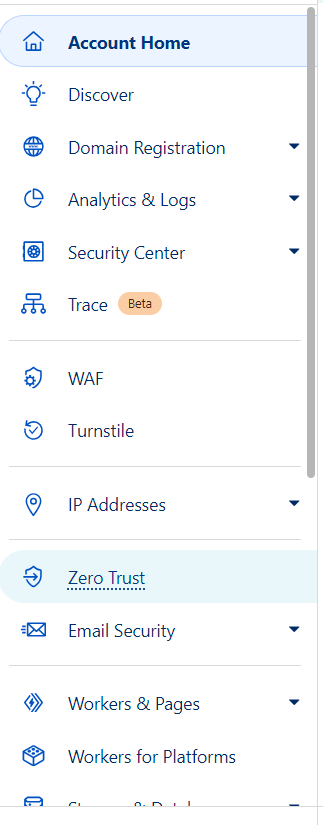
Go to your Cloudflare account dashboard Account Home | Cloudflare
-
Cloudflare dashboard sidebar → Zero Trust Cloudflare One
-
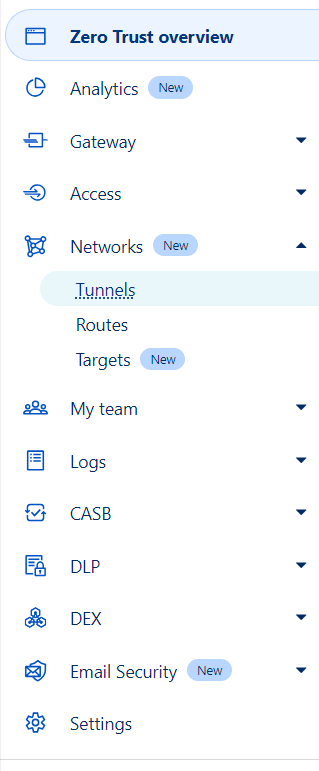
Zero Trust sidebar → Networks → Tunnels Tunnels - Cloudflare One
-
Create a tunnel
- select tunnel type Cloudflared
- name the tunnel
- save your tunnel
-
Get the token for your tunnel
- For TrueNAS scale you just need the token, not the whole command. So it doesn’t matter what operating system or whatever you select, but you have to copy the whole command and then paste it somewhere and get just the token.
-
Install Cloudflared app on your TrueNAS
- put the token from the previous step in for “Tunnel Token”
- It should work to leave everything else at the default.
- Click install. Once Cloudflared is installed and running on your TrueNAS Scale server, it should appear in the tunnel dashboard under “Connectors”.
-
Add a public hostname
- Click next in the Cloudflare tunnel configuration page
- As far as I know you need a domain that is using Cloudflare DNS and registered to your Cloudflare account for this part. Select the domain you want to use and optionally add a subdomain or a path. Since this is for Immich I used “photos.mydomain.com” with no path.
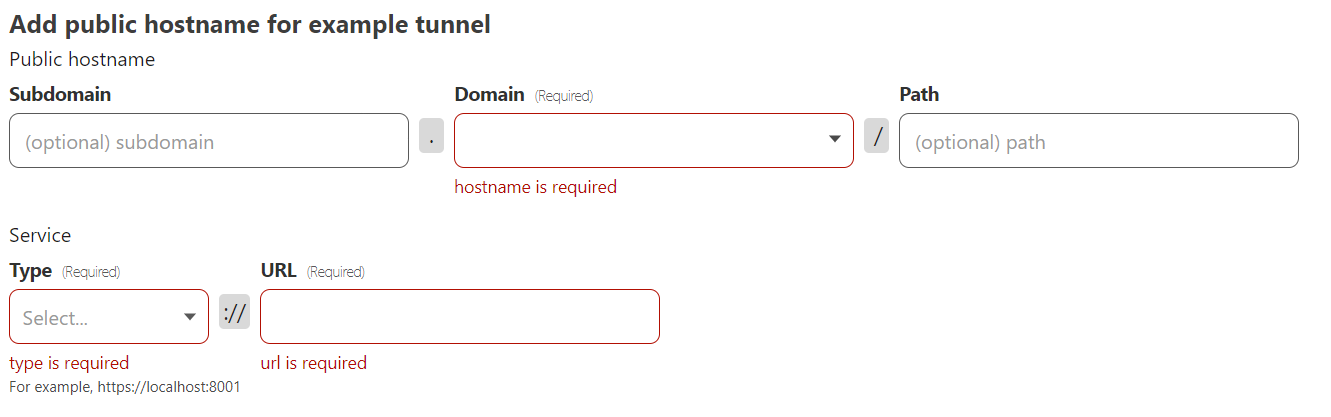
- For the service type, by default Immich is http only, which should be fine since Cloudflare tunnels gives you https. Anyway, assuming this is the case for you as well, select http for the type.
- For the Service URL, use the local IP address of the server with the port Immich is using, such as
192.168.0.2:30041(30041 is the default port for Immich)- OLD - DON’T DO THIS IF POSSIBLE: For the Service URL, unfortunately the Immich app does not run on localhost on TrueNAS Scale, so you have to find the IP that is is running at. In my case Immich was running at 172.16.0.5:30041. (30041 is the default port for the Immich app on TrueNAS Scale)
- I had to go to the TrueNAS shell, run
netstatand find the IP address that was using the port:30041.netstatdoes not show infinite network activity, so it might be helpful to refresh or open the local Immich web portal right before you runnetstat. - Alternatively, you can stop and start Immich, or update it, and check the “Related Kubernetes Events” under the “History” section in the right sidebar. The internal IP address should appear there somewhere.
- IMPORTANT: You will almost certainly have to update the IP address in Cloudflare after updating Immich or changing app settings in TrueNAS.
- I had to go to the TrueNAS shell, run
- OLD - DON’T DO THIS IF POSSIBLE: For the Service URL, unfortunately the Immich app does not run on localhost on TrueNAS Scale, so you have to find the IP that is is running at. In my case Immich was running at 172.16.0.5:30041. (30041 is the default port for the Immich app on TrueNAS Scale)
-
Save the tunnel.
-
It should work now. Try navigating to the public hostname you set.